Drive an AI coding agent from your phone
A two-way bridge that lets Claude Code ping me on Telegram and block-wait for my reply - one forum topic per project, screenshots included. Open-source, zero dependencies.
Try it yourself: clone it from GitHub ↗
About
Stay in the loop from your phone
You kick off a long or overnight task with an AI coding agent, then walk away from the desk. Normally that means either babysitting the terminal or coming back to find it stuck on a question it asked an hour ago.
Telegram Bridge fixes that. When Claude Code stops, it posts its message to a Telegram topic and blocks, waiting for your reply. You answer from your phone - a sentence, or even a screenshot - and it keeps going. One topic per project, created automatically, so several projects never get tangled.
Type
Open-source tool
Built with
Node · Telegram Bot API
Deps
Zero
License
MIT · public
How the loop works
Notify, then block-wait
The trick isn't notifications - it's that the agent waits. It only interrupts you on a real decision, you reply in a sentence, and it carries on until you say stop.
01
Claude works
…then stops on a decision or when done
02
Posts to Telegram
its message → the project's topic
03
Blocks
long-polls for your reply in that topic
04
You reply
text or a screenshot, from your phone
05
Continues
until you reply “stop”
In practice
One forum topic per project
Each project gets its own Telegram topic, auto-created from the folder name, so replies always route back to the right session.
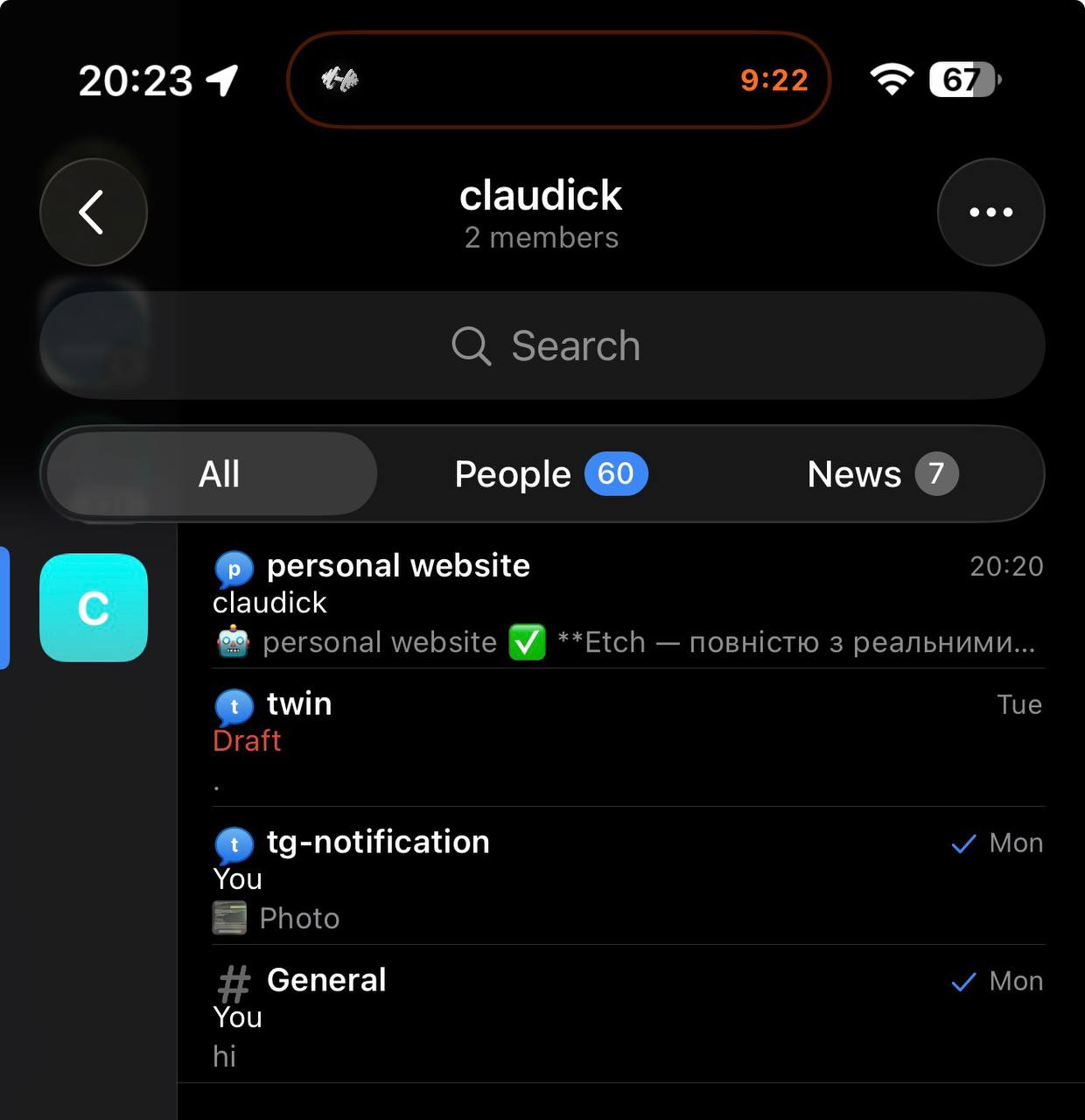
Real bridge in action - each project (personal website, tg-notification, …) gets its own topic, and replies route back to the right session.
Features
What it does
Two-way & continuous
Notify and block-wait - not fire-and-forget. The agent keeps a genuine human-in-the-loop.
One topic per project
Auto-created from the folder name; replies route back by topic, so parallel projects stay separate.
Arm / disarm by voice
Say “launch claudick” in a session to turn it on, “I'm here” to hand control back to the keyboard.
Approve from your phone
Risky actions are sent to Telegram for a yes / no / always reply - no need to skip permissions entirely.
Images in
Send a screenshot or photo to the topic and the agent reads it as part of the conversation.
Silent & always-on
A tiny local daemon owns the Telegram long-poll 24/7; a global hook does nothing unless a session is armed, so normal work is never spammed.
Under the hood
No server, no database
The whole thing runs on the Telegram Bot API alone: sendMessage to notify, getUpdates long-poll to wait. A small daemon owns the poll; a Claude Code Stop hook does the notify-and-block. Zero npm dependencies, Node 18+, all secrets kept outside the repo.
Fun fact: this very portfolio - including the case study you just read - was built with me driving Claude from Telegram through this bridge, down to the drag-carousel's momentum decay on the homepage: tuned frame-time, not frame-count, so a fling feels the same on a 60Hz laptop and a 120Hz phone.
It's open-source - take it for a spin